

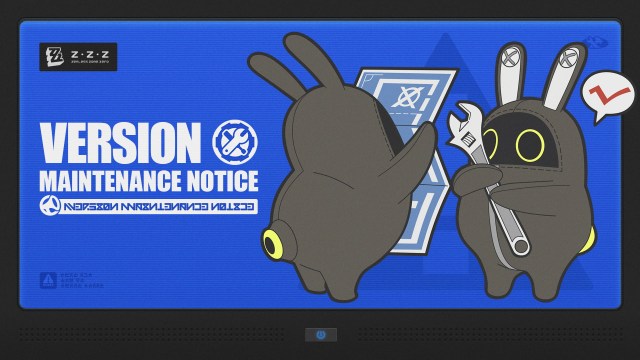
Zenless Zone Zero 3.1 Pre-Download: Size, Date & Guide | GenshinBuilds
HoYoverse has officially opened the pre-download phase for Zenless Zone Zero Version 3.1 across all supported gaming platforms. Beginning July 27, 2026, at 12:00 UTC+8, Proxies can download the patch data in advance to skip long wait times when server maintenance wraps up. Here is a comprehensive guide covering download sizes, step-by-step instructions, and maintenance compensation details.
Keep checking back with GenshinBuilds for the latest ZZZ updates and guides.
Quick Facts
- Pre-Load Window: July 27, 2026, 12:00 – July 29, 2026, 05:50 (UTC+8)
- Download Capacities: PC approximately 11 GB, Mobile approximately 7 GB, PS5 approximately 25 GB, Xbox Series X|S approximately 26 GB
- Maintenance Timing: July 29, 2026, at 06:00 UTC+8, lasting about 5 hours
- Reward Payout: 300 Polychromes (Inter-Knot Level 4 required prior to maintenance)
Platform-Specific Pre-Download Instructions
PC via HoYoPlay Launcher
- Storage required: Around 11 GB
- Click the dedicated "Pre-Download" button located right beside the "Start Game" option.
- You retain the ability to play the current version while the files download in the background.
Mobile Devices (iOS & Android)
- Storage required: Around 7 GB (additional space needed for specific voice language packs)
- Launch the application and tap the "Pre-Download Resources" button in the lower-right corner.
- Important Note: Mobile players cannot access gameplay while the pre-download is running, so manage your schedule accordingly.
PlayStation 5 and PS5 Pro
- Storage required: Around 25 GB
- The pre-load initiates automatically upon launch provided you have enough free disk space.
- Normal gameplay remains available during the download process.
Xbox Series X|S
- Storage required: Around 26 GB
- Automatic updates begin after launching the game if ample storage is ready.
- Alternatively, head to My games & apps > Manage > Updates to trigger the ZZZ download manually.
- You can continue playing without interruption while files download.
Maintenance Schedule and Rewards
Server downtime for the version update kicks off on July 29, 2026, at 06:00 UTC+8 and is slated to run for approximately 5 hours. Players will be unable to sign in during this maintenance period.
As a goodwill gesture, HoYoverse is handing out 300 Polychromes straight to the in-game mailboxes of all Proxies who achieve Inter-Knot Lv. 4 before maintenance starts. Make sure to claim your rewards before patch 3.1 concludes.
How to Apply the Update Post-Maintenance
- PC: Fire up the launcher and click the update button.
- Android: Follow the prompts that appear inside the application.
- iOS: Visit the App Store to pull the latest version.
- PS5/PS5 Pro: Select ZZZ on your dashboard, hit the Options button, and choose "Check for Update."
- Xbox Series X|S: Navigate to My games & apps > Manage > Updates to confirm installation.
Essential Recommendations
- Verify that your hardware has sufficient empty storage prior to initiating the pre-load.
- Mobile Gamers: Kick off your downloads ahead of time, as you cannot engage in active gameplay during the process.
- Remember to redeem your Polychromes from the mailbox during version 3.1.
For more character guides, updates, and tier lists, explore our ongoing ZZZ coverage at GenshinBuilds.