

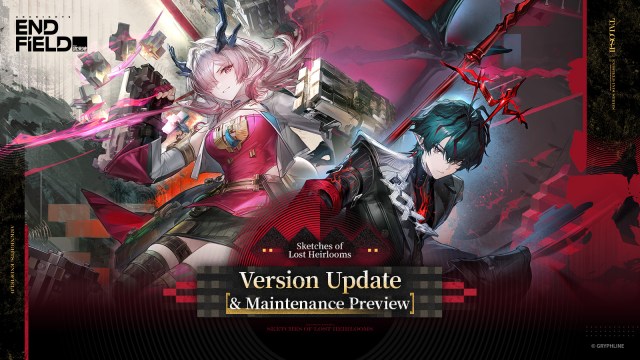
Arknights: Endfield Sketches of Lost Heirlooms: Pre-Download and Maintenance Guide
The latest update for Arknights: Endfield, titled Sketches of Lost Heirlooms, has officially opened its pre-download phase. Players looking to jump straight into the action when the mandatory update arrives on June 5, 2026, should take advantage of this head start. Gryphline has outlined a precise schedule and provided details on compensation to ensure the transition is as seamless as possible.
For more comprehensive guides and the latest news, be sure to visit the Arknights: Endfield hub on GenshinBuilds.
Quick Summary
- PC Pre-load: Approximately 6GB (please ensure 10GB of storage space for file extraction; SSD usage is advised).
- Maintenance Windows: Starts June 5, 2026, at 06:00 (UTC+8) for Asia; begins June 4, 2026, at 17:00 (UTC-5) for the Americas and Europe.
- Downtime Expectation: Roughly 6 hours.
- Reward: 900 Oroberyl (distributed via in-game mail; remember to claim before the subsequent update).
- Pre-load Status: Available now for PC; mobile and console versions are in development.
How to Handle Pre-Download
PC players can initiate the process via the GRYPHLINK launcher. Simply click the "Pre-Download" button located to the left of the "Play" option to begin pulling the 6GB data package. The game remains playable during this background download. While currently exclusive to PC, support for mobile and PlayStation 5 pre-loads will arrive in future updates.
Maintenance and Version Deployment
The servers will go offline for roughly six hours to implement the version update. During this window, access to the game will be suspended. Performing a pre-download significantly reduces the data required post-maintenance.
Updating Across Platforms
- PC: Restart GRYPHLINK once the maintenance window opens and select "Update."
- Android: Launch the app and follow the in-game update prompts.
- iOS: Navigate to the App Store and select "Update" for the application.
- PS5: Highlight the Arknights: Endfield icon on your dashboard, press the "OPTIONS" button, and choose "Check for Update."
Storage Requirements
| Platform | Download Size | Space Needed for Extraction |
|---|---|---|
| PC | 6 GB | 10 GB |
| Android | 4 GB | 4 GB |
| iOS | 4 GB | 4 GB |
| PS5 | 40 GB | 58 GB |
*Note: Temporary storage used for extraction will be cleared automatically once the process concludes.
Compensation Details
All accounts established prior to the maintenance window will be gifted 900 Oroberyl. Be sure to retrieve this from your in-game mailbox promptly, as the mail is set to expire when the next version maintenance begins.
Preparation Checklist
- Start the PC Pre-load: Save yourself time by downloading the 6GB package early.
- Verify Storage: Confirm you have enough free space (up to 58GB for console players).
- Wrap Up Dailies: Complete all stamina-heavy activities before the June 5 cutoff.
- Check Mail: Clear out any expiring items in your inbox before the update.
Immediate Post-Update Steps
Once the servers are live, finish the client update, sign in to collect your 900 Oroberyl, and begin exploring the new features introduced in Sketches of Lost Heirlooms. Players may also want to evaluate any gameplay balance adjustments that accompany the release.
Stay updated on all things related to Arknights: Endfield by checking back at the GenshinBuilds portal for the latest tactics and insights.